Text and buttons New in 0.11
Each design carries its own words:
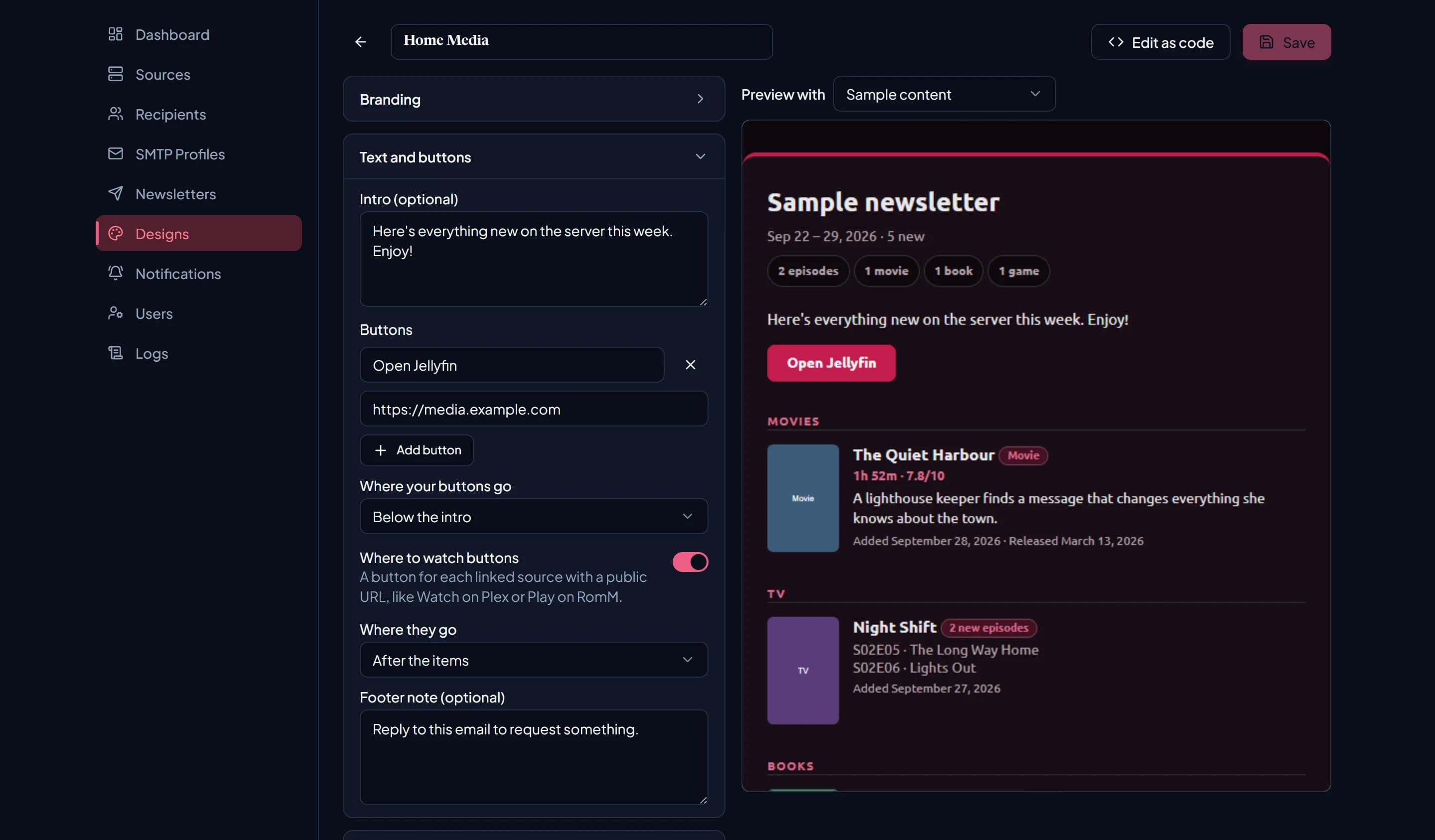
| Field | Limit | Where it appears |
|---|---|---|
| Intro (optional) | 2,000 characters | Under the header, e.g. “Here’s everything new on the server this week. Enjoy!” |
| Buttons | Up to 4 | Under the intro, in your accent colour. |
| Footer note (optional) | 2,000 characters | At the bottom, above the LatestArr credit line. |
Each button needs a label (up to 40 characters) and a full link starting with http:// or
https://. A half-filled button is left out of the preview and stops you saving until you finish
or remove it.
A common setup is a single “Open Jellyfin” or “Open Plex” button pointing at your server’s public address, and a footer note like “Reply to this email to request something.”
Where your buttons go places them above the intro, below it (the default), or at the end of the email.
Where to watch buttons
Designs also add a button for each linked source that has a Public URL, labelled for the service: Watch on Plex, Watch on Jellyfin, Read on BookLore, Listen on Audiobookshelf, Play on RomM, and so on. They’re on by default, and you can switch them off with Where to watch buttons. Where they go sets their placement:
| Placement | Where the buttons appear |
|---|---|
| After the items | At the end, before the footer note. The default. |
| Under each section | Each section gets the buttons for the sources that provide it. Needs Group by type. |
| Near the top | Under the header and intro. |
Sources without a Public URL get no button, since their base URL is often an internal address recipients can’t reach. A Plex server and the Tautulli that watches it, with the same Public URL, share one button. Two sources of the same service get their own names, like “Watch on Home Plex” and “Watch on Cabin Plex”.
In earlier versions, the intro, footer, and buttons lived on each newsletter. They moved into designs in 0.11, and your existing text was carried over automatically. Where newsletters that shared a design had different text, LatestArr made a copy of the design for each.
Text and buttons also work in code designs through the introText,
footerNote, ctas, and sourceButtons variables.